As a Squidex user,
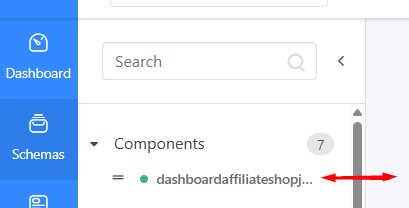
I want to be able to manually stretch (resize) the columns in the schemas and content menus on the left-hand side navigation,
So that I can adjust the view to better see long schema or content names and improve my navigation experience.
Acceptance criteria
- The user can click and drag the edge of the schemas and content menu columns in the left-hand navigation to resize them.
- The column width adjustment is smooth and responsive, without page reloads or UI glitches.
- The resized column width persists while navigating between different schemas and content menus during the same session. The new column width should be retained after ending the current session and starting a new one.
- No existing functionality in the navigation is broken by the resizing feature.
Note: We have checked about the use of labels and categories with our end-users but these were not accepted as viable solutions.