I have…
- Checked the logs and have uploaded a log file and provided a link because I found something suspicious there. Please do not post the log file in the topic because very often something important is missing.
I’m submitting a…
- Regression (a behavior that stopped working in a new release)
- Bug report
- Performance issue
- Documentation issue or request
Current behavior
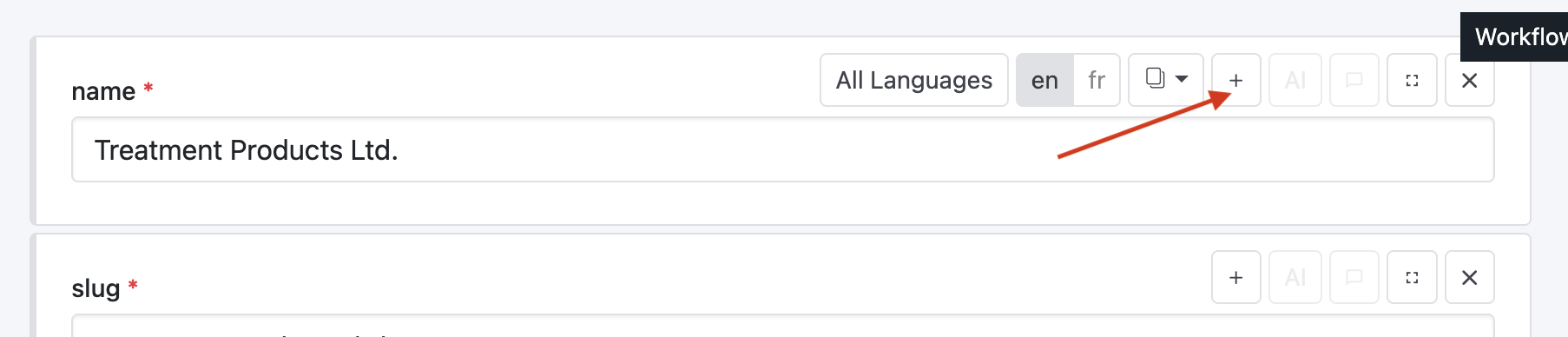
When collapsing a field in the content editor, the field becomes collapsed as expected, but the collapse/expand toolbar becomes disabled afterwards.
The user cannot expand the field again via the UI.
This happens across different field types, not only for a specific schema field.
In DevTools, the field toolbar appears to be rendered inside a disabled <fieldset>:
<fieldset disabled>
  ...
  <sqx-menu-item
    icon="minus2"
    label="i18n:contents.collapseItem"
    tooltip="i18n:contents.collapseItem">
  </sqx-menu-item>
  ...
</fieldset>
Because of native browser behavior, controls inside a disabled fieldset are not clickable. Therefore the collapse/expand button cannot be used anymore.
Expected behavior
After collapsing a content field, the same button or field header should allow expanding it again.
The collapse/expand control should not become disabled together with the field content.
Minimal reproduction of the problem
- Open a content item in the Squidex content editor.
- Collapse any field using the “Collapse item” button.
- Try to expand the field again.
- The toolbar/button is disabled and cannot be clicked.
Workaround:
Removing the disabled attribute in DevTools makes the button usable again:
document.querySelectorAll('fieldset[disabled]').forEach(el => {
  el.removeAttribute('disabled');
});
After that, the fields can be expanded again.
Environment
Squidex
- Version: 7.23.0
- Self-hosted with Docker
- Image:
squidex/squidex:7.23.0
Browser
Reproduced with:
- Chrome desktop
- Safari desktop
Additional notes
This does not seem to be related to a specific field type or schema field. It happens across multiple field types.