Btw: Do you have a proxy or something in your company that could affect the result?
I’ve no proxy or anything network related set up for our company on my device.
Unfortunately I cannot provide you with our IdentityServer solution, but I’m planning to set up a testing environment. When that is set up, I can provide you access to it. Though the issue also occurs when using Google as a login provider.
But something must be different on your side. It does not happen in the cloud version. It does not happen on my local machine and it does not happen for other customers / users.
So we have to find out where this difference is. Where are you hosting it? Docker? Just local Kestrel? IIS? IIS Express?
I agree! I tried running the Squidex project in Kerstel and IIS Express, started by a debug session in VS 2017. I also tried just the ‘dotnet run’ command.
Is there any additional configuration I should mention when running the project in a debug session in Visual Studio 2017?
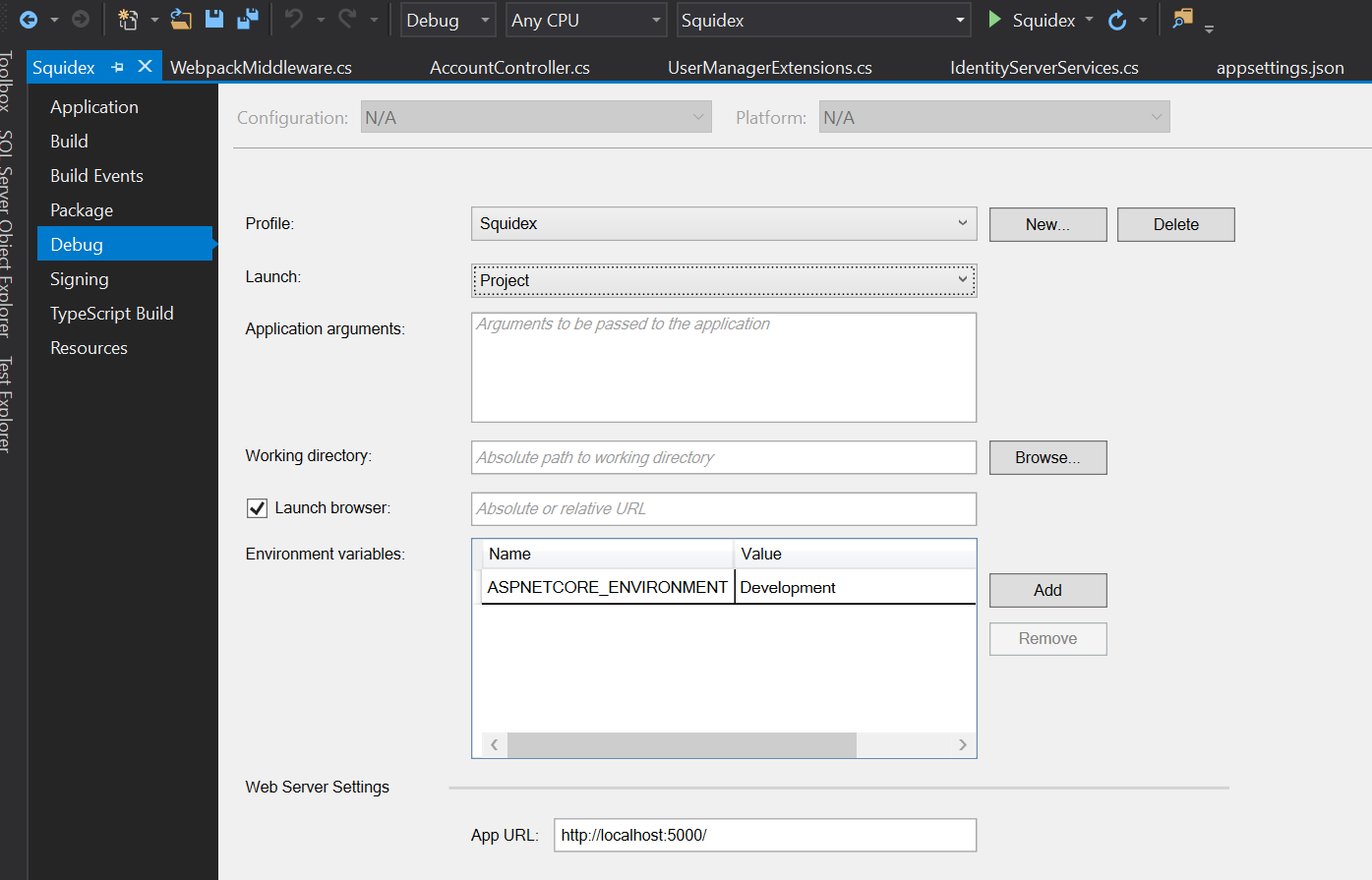
I use the same setting.
This is my user in the consent screen:

Just started Squidex from VS with empty DB and default settings.
Hi, I finally found the issue.
The problem are the cookies and how they work:
For historical reasons, cookies contain a number of security and privacy infelicities. For example, a server can indicate that a given cookie is intended for “secure” connections, but the Secure attribute does not provide integrity in the presence of an active network attacker. Similarly, cookies for a given host are shared across all the ports on that host, even though the usual “same-origin policy” used by web browsers isolates content retrieved via different ports.
Because identity server and squidex use the same tech stack they also use the same keys for cookies. And both add the cookie for the authenticated user. So the flow is like this:
- You click login in Squidex
- Squidex redirects to identity server.
- You login in identity server.
- Identity server adds the cookie.
- Squidex adds the same cookie to the
/identity-serverpath. - Squidex takes the wrong cookie in consent page and fails to unencrypt it, because it is encrypted from another process.
The solution is to use different host names or to tell identity server to use another cookie name, e.g. I use the following cookie name in Squidex-Identity now:
services.ConfigureApplicationCookie(options =>
{
    options.Cookie.Name = ".sq.id.auth";
});
The current master branch of Squidex also uses a custom cookie name.
Hi Sebastian,
That’s great news! I just tried to check out the latest version from the master branch and it worked right away. Thank you very much for diving into this 
Maybe it’s not related to this forum thread, but I’d like to point out what now see in my browser dev tools after logging in:
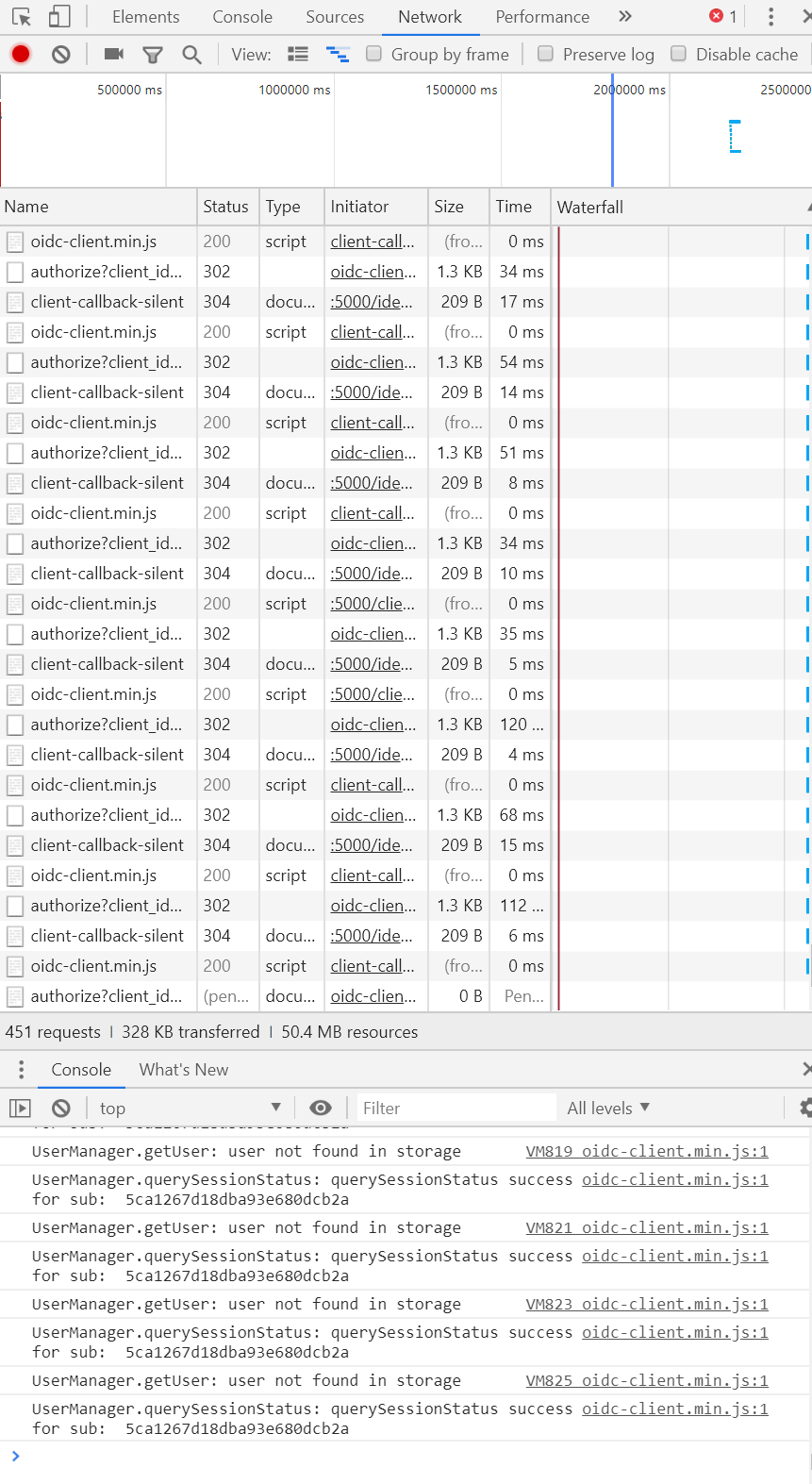
On this screenshot you can see these Api requests are being send over and over again. This does not only occur when logging in for the first time. Also a Google login has the same result.
Thank you very much for finding and solving the issue with the cookies! I’m very excited to set up my first project with Squidex soon.
Kind regards,
Tim
Is it an infinite loop?
Yes, that’s correct!
Mhm, okay…did not happen in my case, I will have another look.
I must say I did not yet remove all cookies before trying out the new version from the master branch. I did start with a clean database.
I could try to remove all cookies and see what happens in other browsers (this was Chrome) when debugging a bit more. But that will be tomorrow night I think.
Sounds like a plan…but anyway I think it is bad that it is necessary to delete cookies 
1 Like
Can you share your cookies with me?
Sure So I’m now logged in to Squidex, currently using Google Chrome at: “http://localhost:5000/app”.
Cookies:

Local storage:

The last entry of the local storage: “oidc.*” keeps changing at each api call I showed in my post on Sunday.
If it works now, we can probably just focus on something else 
I will  Thanks for all the help!!
Though I should add that this behavior pops up in all browsers and with both Google and OIDC logins. Cleaning the cookies does not seem to solve the issue. This is still the case with the latest version of master (just checked out).
Kinds regards,
Tim
Which issue directly? The infinite loop?
It does not happen on my machine, thats strange.
Yes, the infinite loop. Strange indeed! Somehow the application thinks it has to authenticate over and over again.
I’ll try to dive a bit deeper into it later this week.
That would be great, because I cannot reproduce it.